Youth Creative Powerpoint: Designing Presentations That Stick
Let’s be honest: most presentations are forgettable. We’ve all sat through slide decks where the walls of text blur together, or the visuals feel like they were pulled from a clip-art library circa 2005. When you are trying to pitch a new idea, showcase a portfolio, or drive a business strategy, the medium is just as important as the message. If your visuals look cheap, your ideas might be perceived the same way. This is where the gap lies between a standard meeting and a compelling visual story. You need a tool that acts less like a simple slide generator and more like a design partner.
Aesthetic Meets Functionality
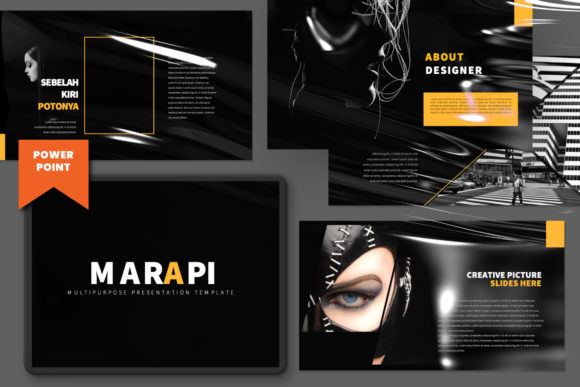
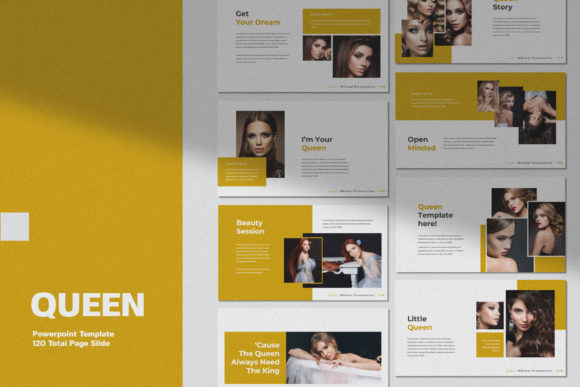
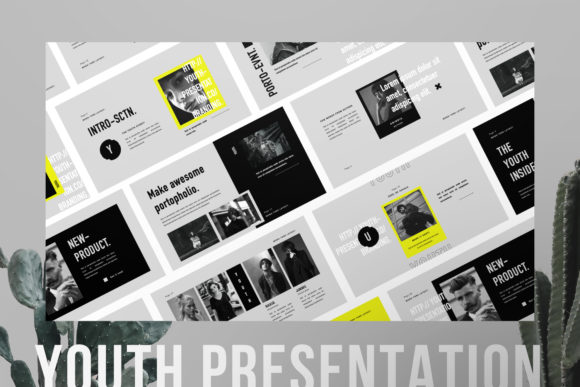
The Youth Creative Powerpoint template bridges that gap by offering a professional, ultra-modern aesthetic that feels distinctly unique in a sea of generic corporate templates. It is designed with the assumption that you care about visual hierarchy and branding, not just putting words on a screen. The personality of this template is sleek and confident. It avoids the clutter of outdated design trends and opts for a clean, contemporary look that respects white space. Every slide is crafted with attention to detail, ensuring that the layout supports your content rather than overwhelming it.
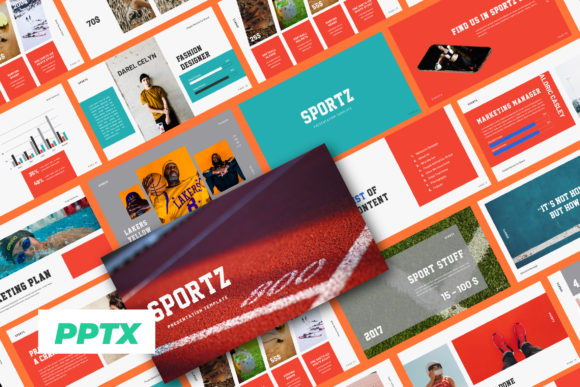
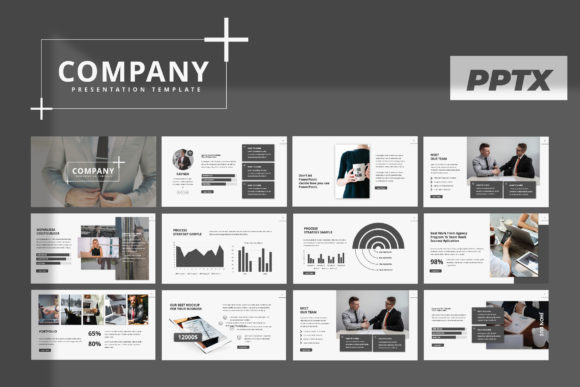
One of the most immediate visual characteristics of this template is its versatility. It is labeled as a "Multipurpose Creative" tool for a reason. Whether you are a photographer building a portfolio, a startup founder pitching to investors, or a marketing agency presenting a new campaign, the visual language adapts. It strikes a balance between being artistic enough to be interesting and professional enough to be taken seriously in a boardroom. The design feels fresh and youthful—hence the name—but carries the weight of serious modern typography and layout principles.
Practicality for the Modern Creator
A beautiful design is useless if it is difficult to edit. This is a common frustration with many design assets; they look great in the preview but fall apart the moment you try to change the text. The Youth Creative Powerpoint is built specifically to avoid that headache. Utilizing Slide Master technology, it allows for a "Drag & Drop" workflow that is intuitive even for those with minimal design experience. You don’t need to be an expert in Adobe Illustrator to make this work. The structure is already there; your job is simply to fill it with your story.
The template features a 16:9 aspect ratio, which is the standard for modern screens and projectors, ensuring your work looks crisp and high-definition. The inclusion of image placeholders is a massive time-saver. Instead of cropping and resizing images manually on every slide, you can simply drag your photo into the designated area, and the template handles the framing. This is crucial for maintaining a consistent brand identity throughout the presentation. Furthermore, the ease of changing colors means you can instantly apply your specific brand palette to the entire deck, creating a cohesive visual experience that reinforces your logo design and color psychology.
Strategic Applications and Layout
When we talk about creative font usage and layout in presentations, we are really talking about readability and flow. The Youth Creative Powerpoint includes many variations of layout and text, which is vital for keeping your audience engaged. If every slide looks exactly the same, the viewer’s brain shuts off. By varying the composition—sometimes using a full-bleed image, other times using a split layout with text and graphic—you create a rhythm that guides the eye.
This template is particularly effective for:
- Corporate Branding: presenting brand guidelines or annual reports.
- Advertising: showcasing campaign mockups and social media graphics.
- Portfolio Reviews: displaying work in a clean, gallery-style format.
- Business Proposals: pitching services with a professional edge.
The "Business Guidelines Pages" included in the package are a hidden gem. For designers and agencies, presenting a brand guide to a client requires precision. Having pre-built slides that accommodate color swatches, typography pairings, and iconography sets makes the handover process smooth and professional. It elevates the perceived value of your service.
Typography and Visual Hierarchy
While the template provides the skeleton, the text you choose provides the voice. Although the template itself is a slide deck, the principles of display font selection apply heavily here. The placeholders are designed to accommodate strong headlines and concise body copy. When using a tool like Youth Creative Powerpoint, you want to avoid the trap of filling every white space with text. The design encourages a "less is more" approach, which is the hallmark of high-end editorial design.
Consider how the layout influences your hierarchy. A large, bold heading draws the eye first, followed by supporting imagery, and finally the detailed text. This template facilitates that natural reading pattern. It helps you create a visual hierarchy that makes sense, ensuring that your key takeaways are not lost in the noise. Whether you are using sans serif or serif typefaces within the placeholders, the structure ensures they remain legible against the background elements.
Maximizing Your Investment
For entrepreneurs and small business owners, time is money. Spending hours wrestling with formatting is a poor use of resources. By using a premium font and template system like this, you are essentially buying back hours of your time. The "Easy to Customize" promise isn't just marketing speak; it’s a requirement for modern web design and presentation workflows.
When you download and open the file, take a moment to explore the "Many Variations" mentioned in the features. Don't just stick to the first layout you see. Mix and match. If you are working on a packaging design pitch, use the full-image slides to show off the physical product in high resolution. If you are doing a financial overview, use the text-heavy variations but break them up with the graphical elements provided.
Remember that the preview images are not included, which is standard for commercial font and template licensing. This forces you to make the design your own. It pushes you to select high-quality photography that represents your actual work. A template is only as good as the content you put into it. However, with the Youth Creative Powerpoint, the foundation is solid. It provides the modern typography spacing and the layout logic that usually takes years of design training to master.
Final Thoughts on Professional Presentation
In the digital age, your presentation often becomes a standalone document—a PDF that gets forwarded to decision-makers you never meet in person. It needs to work hard for you. It needs to be a creative font driven, visually engaging piece of communication that stands on its own.
By leveraging tools like Youth Creative Powerpoint, you are not just making slides; you are curating an experience. You are showing your audience that you value quality, that you understand modern typography, and that you respect their time enough to present information clearly and beautifully. Whether you are a crafter showing off a new line of goods or a strategist mapping out a corporate takeover, the medium matters. Make sure yours looks as professional as the work you do.